
Creating a timeline
Arrange slots as timed segments and play them in sequence.
Prerequisite: At least two populated slots in an A/B bank, and Studio 0.29.0 or later.
Ready-to-use example projects
Download the file. In Studio, use File → Open to open it. If you download the ZIP, extract it to a folder first. Requires Windows Studio 0.29.0 or later. No external media files are needed.
- 30-second timeline — download .psl
Three populated slots, three 10-second segments and looping. Select the timeline and press Play.
The example nodes are disabled and use loopback addresses. In the scheduling example, the master switch and all rules are disabled. Use Save As to keep your own experiments.
Step-by-step instructions
Open Control > Timelines…. Create a new timeline and give it a descriptive name.
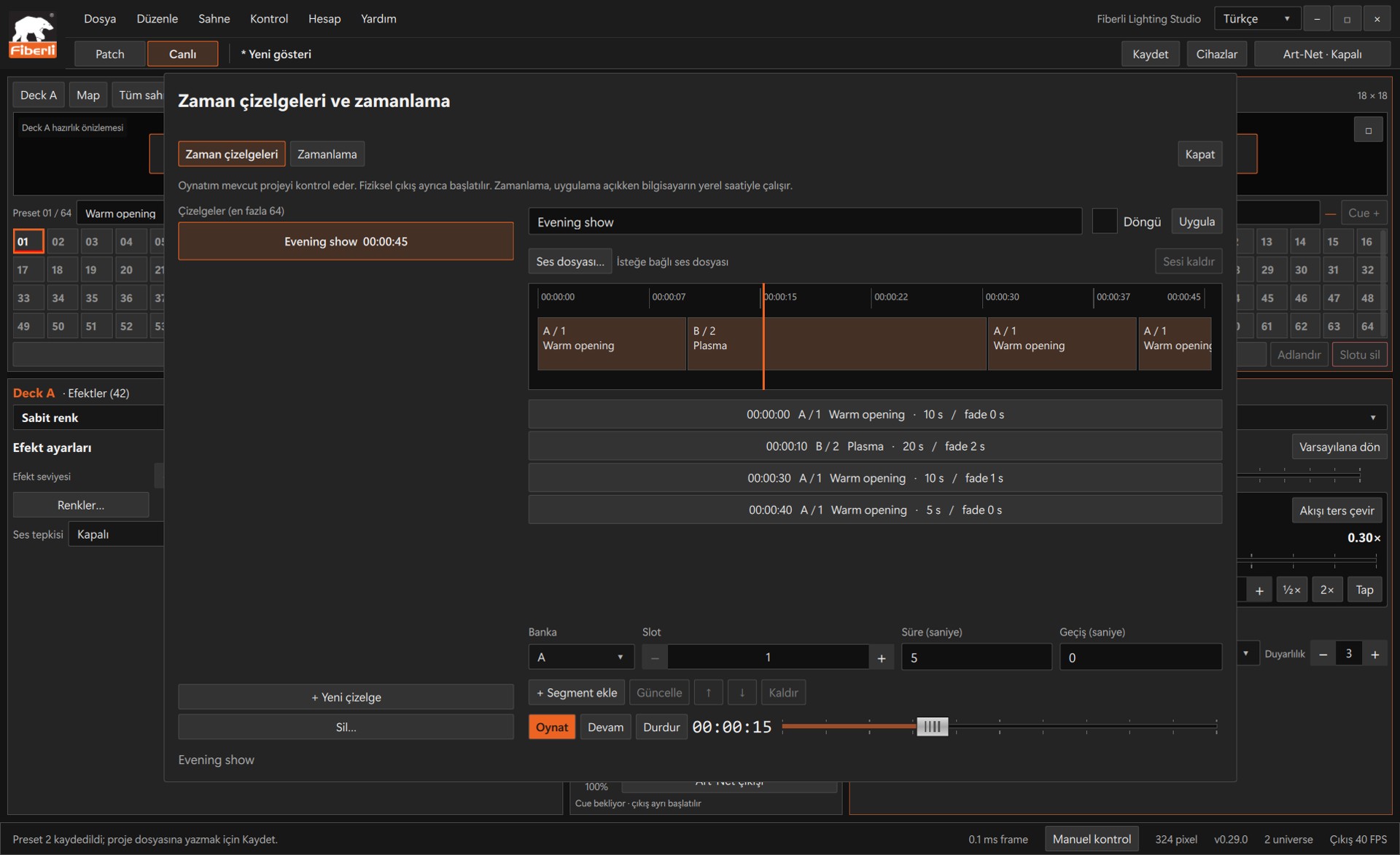
Timeline: sequential slot segments, duration, transitions and playback controls. Open the image to view it at full size. Select bank A or B and a populated slot. For the first segment, for example, enter Duration = 10 s and Transition = 1 s, then press Add segment.
Select a second populated slot and add it with Duration = 15 s and Transition = 2 s. Segments are placed consecutively without gaps; each transition is included in its segment’s total duration.
Select a segment from the list or strip to update its Duration/Transition values. Drag its right edge to change the duration, or use Up/Down to change its order.
If needed, select a single local audio file. Confirm changes to looping and the name using Apply. Preview using Play, then try Pause/Resume and the position slider. Save the project.
Expected result
In this example, a 25-second timeline plays two segments in sequence.
Common mistakes and things to check
Timeline plays A/B slot segments in sequence; it is not a free-form multilayer video editor. An empty slot prevents the timeline from starting. Manually changing an effect, slot or fader releases timeline control.
These are screenshots of the actual application. Images are from Windows Studio 0.29.0; the Help screen is from 0.30.1. The screenshots show the Turkish interface. Physical output is disabled in the examples.