
Preparing looks, slots and shows
Store your looks in slots so you can recall them later.
Prerequisite: At least one prepared look in the Live workspace.
Ready-to-use example projects
Download the file. In Studio, use File → Open to open it. If you download the ZIP, extract it to a folder first. Requires Windows Studio 0.29.0 or later. No external media files are needed.
- A/B effects — download .psl
32 × 16 RGB. A1 Rainbow, A2 Plasma, A3 Wave; B1 Turquoise, B2 Chase.
The example nodes are disabled and use loopback addresses. In the scheduling example, the master switch and all rules are disabled. Use Save As to keep your own experiments.
Step-by-step instructions
Prepare the first colour, effect or group look on Deck A.
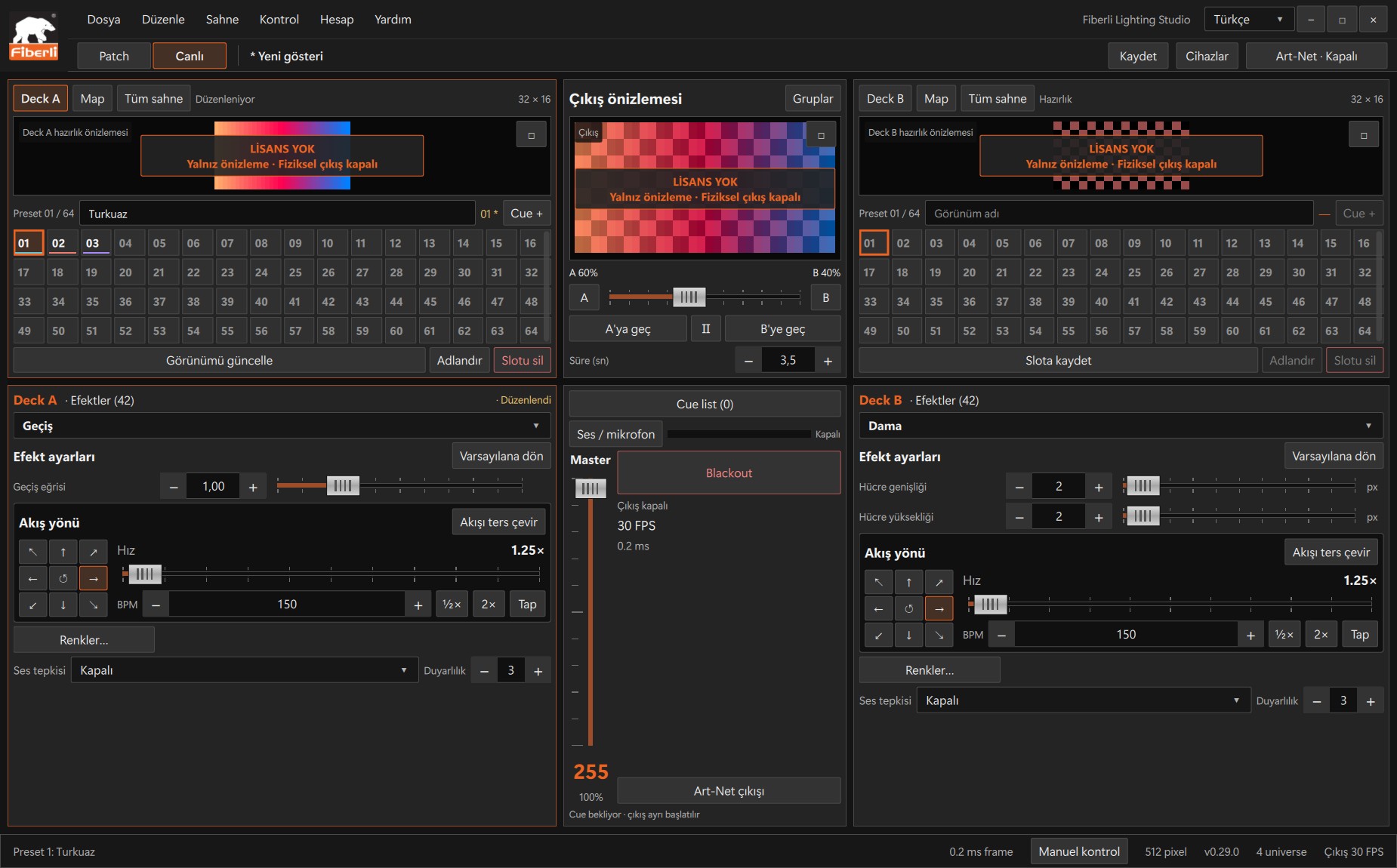
Live workspace: A/B decks, slots, output preview, Master and Blackout. Open the image to view it at full size. Select an empty slot, enter a recognisable name in the Look name field and press Save to slot.
Prepare a second look and save it to another empty slot. Use Update look to replace an existing slot’s contents.
Click the populated slots and check that the correct looks are recalled. Use Cue + to add the active look to the cue list.
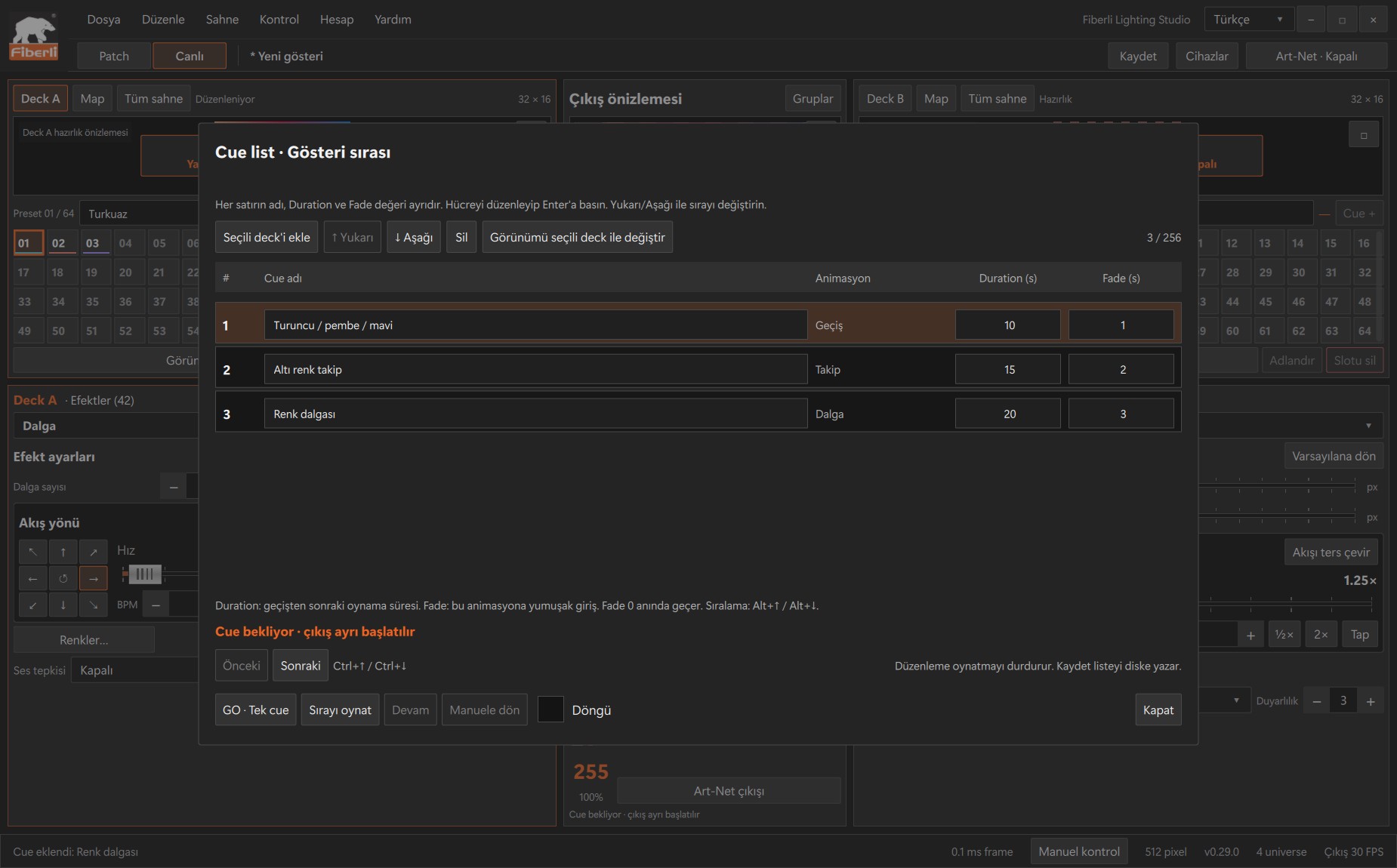
Cue list: order, duration and transition fields for saved looks. Open the image to view it at full size. Edit the order, duration and transitions in the cue list, or add these slots to a timeline as described in the next guide. Save the project.
Expected result
You have a show bank containing named slots.
Common mistakes and things to check
Clicking a populated slot recalls its look. If you recall another slot before saving, you may lose edits that have not yet been saved to a slot.
These are screenshots of the actual application. Images are from Windows Studio 0.29.0; the Help screen is from 0.30.1. The screenshots show the Turkish interface. Physical output is disabled in the examples.