
Grouping devices and pixel ranges
Apply different looks to separate LED ranges within the same universe.
Prerequisite: The Patch and universe addresses must be ready.
Ready-to-use example projects
Download the file. In Studio, use File → Open to open it. If you download the ZIP, extract it to a folder first. Requires Windows Studio 0.29.0 or later. No external media files are needed.
- Two groups across 170 pixels — download .psl
A1: the first 50 pixels are red and the remaining 120 are green. A2: the colours are reversed. A3: the entire scene is blue.
The example nodes are disabled and use loopback addresses. In the scheduling example, the master switch and all rules are disabled. Use Save As to keep your own experiments.
Step-by-step instructions
Open Groups in the Live workspace. Create a group and give it a name, such as First 50 LEDs.
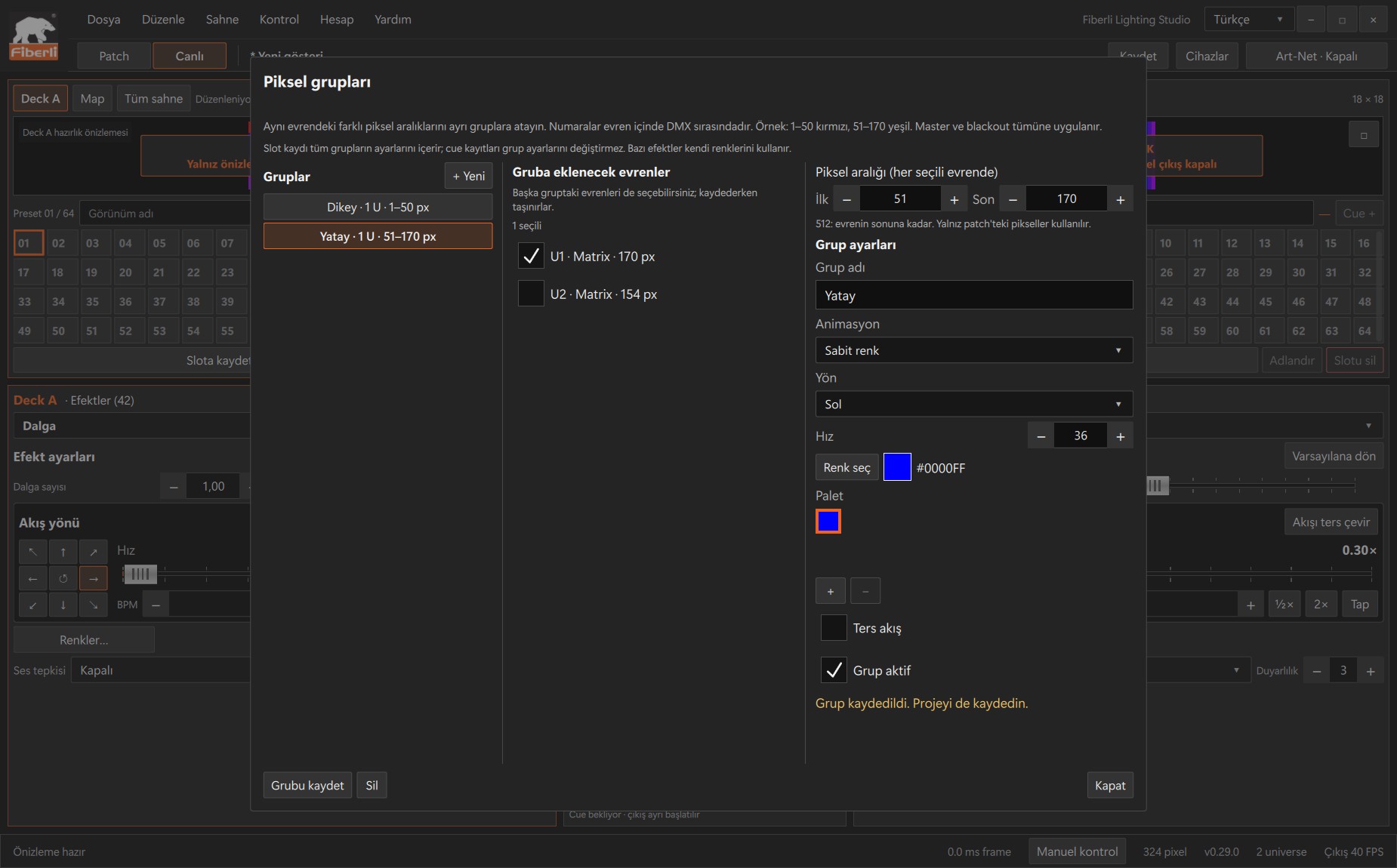
Groups window: universe membership and First/Last pixel range fields. Open the image to view it at full size. Select the universe to include. Enter First = 1 and Last = 50, leave Group enabled selected, and press Save group. These numbers follow the DMX pixel order within that universe.
Use + New to create a second group. In the same universe of 170 RGB pixels, select First = 51 and Last = 170, enter a name and press Save group. Check that the ranges do not overlap, then close the window.
On Deck A, prepare a red Solid color look. Open Map, select the first group and press Assign. Then prepare green, select the second group in Map and press Assign.
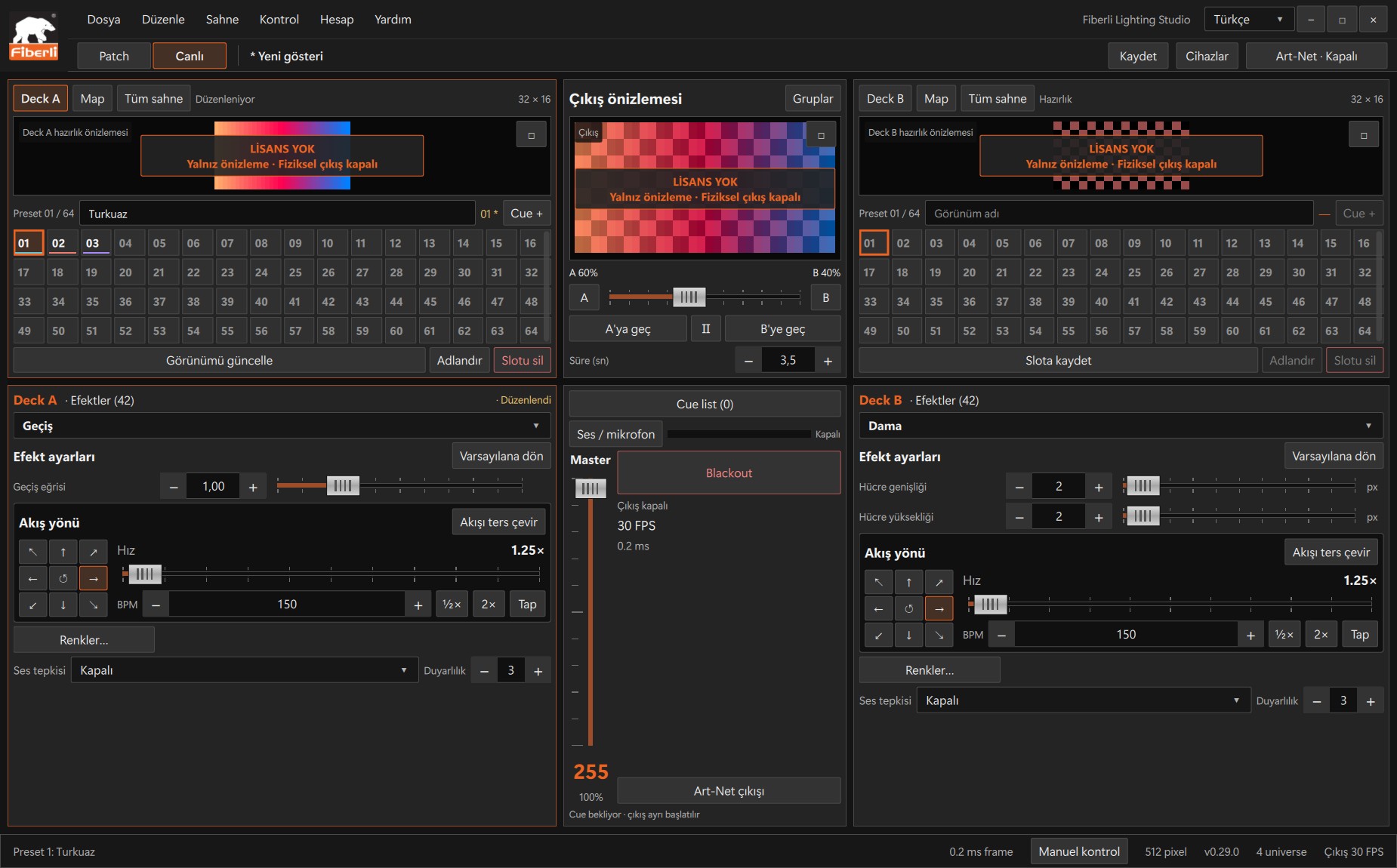
Live workspace: A/B decks, slots, output preview, Master and Blackout. Open the image to view it at full size. Check the two areas in the output preview. Save the look to a slot, then save the project to disk. Use Whole scene on that deck to return the whole scene to a single animation.
Expected result
The first 50 pixels and the remaining 120 pixels display different colours or effects.
Common mistakes and things to check
This creates look groups; it does not combine nodes under one IP address. If you select multiple universes, the First/Last range applies to each universe separately. A pixel cannot belong to two groups.
These are screenshots of the actual application. Images are from Windows Studio 0.29.0; the Help screen is from 0.30.1. The screenshots show the Turkish interface. Physical output is disabled in the examples.